
For Owners
Your strata. At your fingertips.
Pay levies, view your balance and ledger, vote before and during your AGM, download statutory certificates, and access your building's documents. Whenever you need, regardless of opening hours.
First time here, or can't log in? See the quick help and owner questions below.

Quick help
Log in, pay, or get help
Log in or create an account
Each owner has their own login. New to the Portal? Choose Create an account on the login page, then link your property. One account covers all your properties.
Go to the Owners Portal ↗Pay a levy
Pay online with Quick Pay, no login needed. You just need the StrataPay reference number from the payment slip on your levy notice.
Make a payment ↗Can't get in?
Use Forgot password on the login page and follow the email. For anything about your building, such as levies owing, approvals or maintenance, contact your strata manager.
See owner questions ↓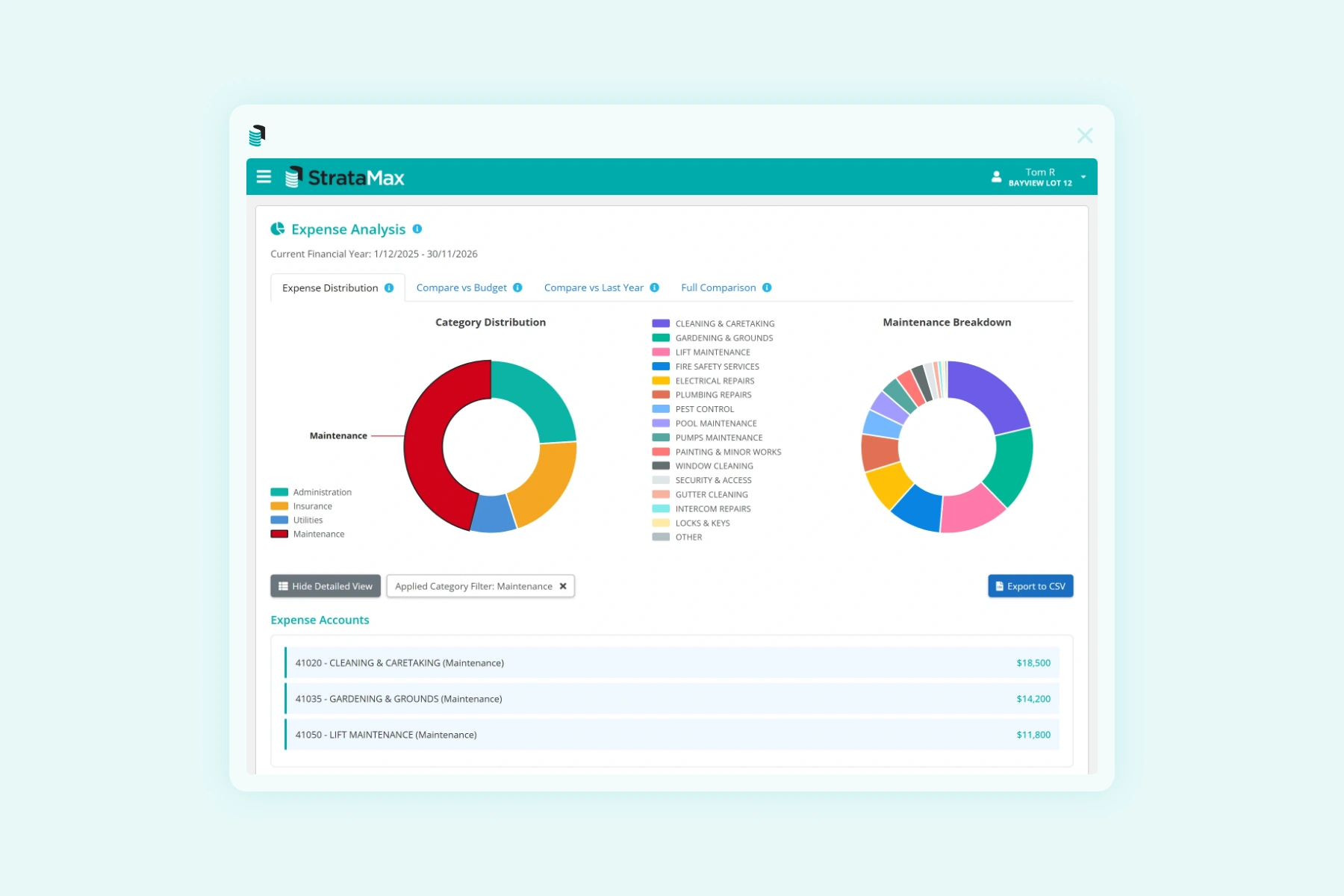
What you can do
Pay, view, update. Whenever you want.
View your balance, pay your levies or set up a direct debit. Specified amount or auto-balance, you choose. Update your address, phone, email and mailing preferences yourself. Download your statutory certificate. All without ringing your strata manager. If you own more than one lot, this is where you see them all in one place.
Each owner has their own individual login. You can only see your own balance, ledger and contact details, never another owner's. Committee members see committee-level information for their building only.
At your meetings
Vote before the meeting. Or from your device, on the day.
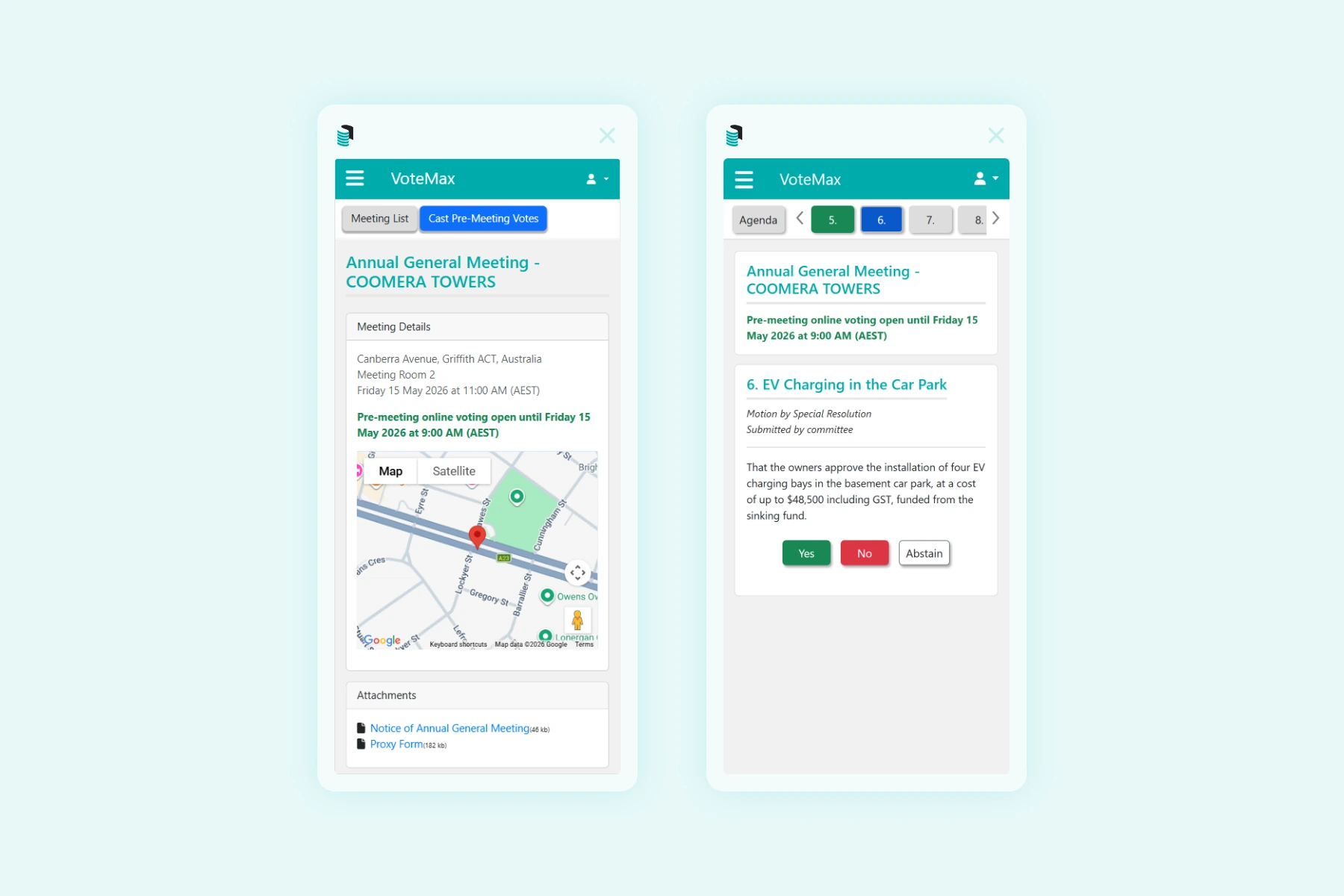
Your strata manager prepares your AGM, EGM or committee meeting in Meeting Hub. You vote on motions before the meeting, from anywhere, on any device. You can change your vote while the voting window is open. On the day, you can attend in person or vote in real time from your phone, tablet or laptop. Vote counts refresh automatically. Where the meeting requires a secret ballot, Online Voting keeps your vote anonymous while remaining validatable by the returning officer.
Invoice oversight
See every invoice. Approve before money moves.
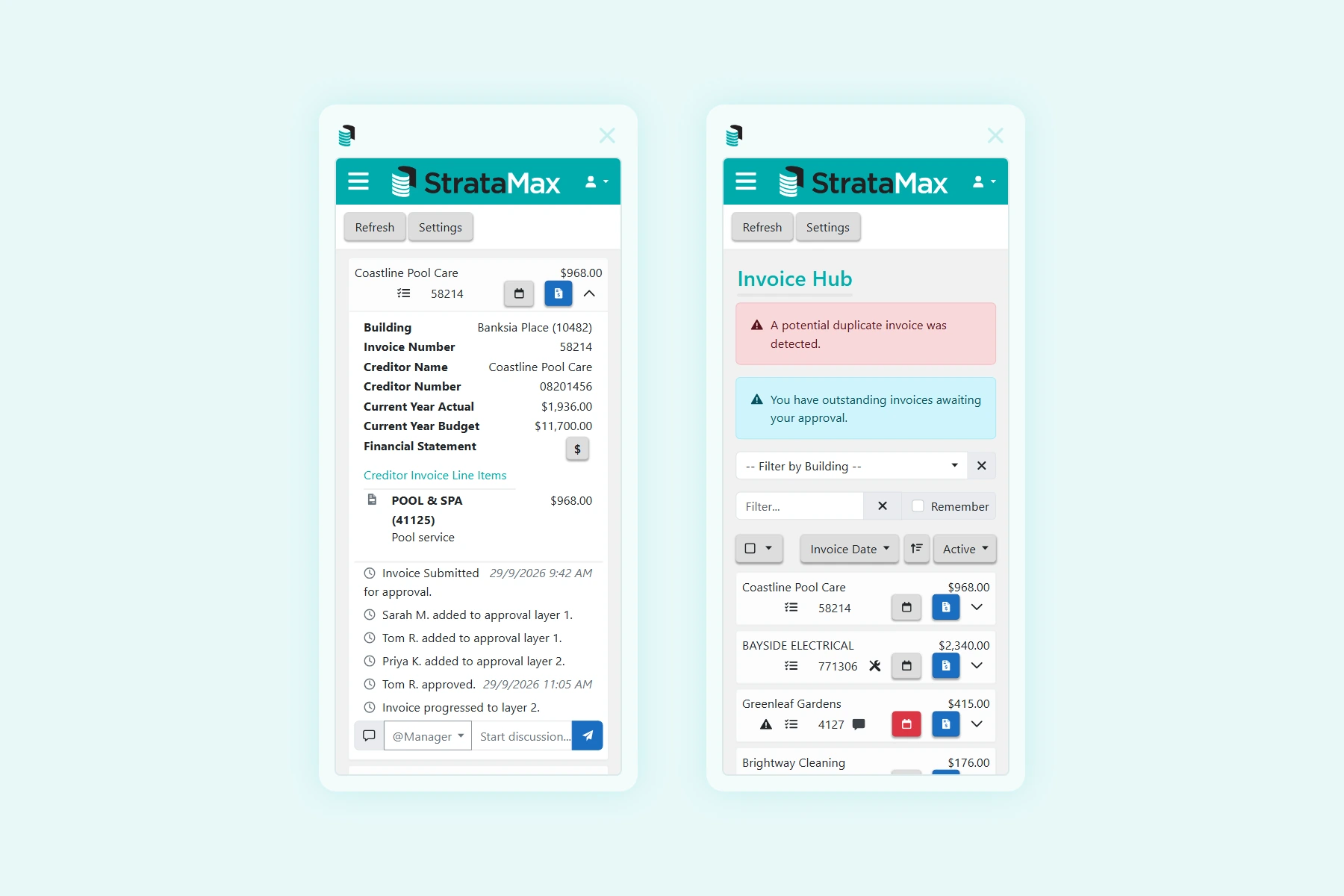
If you sit on your building's committee, every supplier invoice can be set up to come through Invoice Hub for your review before it's paid. You see the document itself, the vendor, and the cost code, all on the device in your hand. Approve or query in a tap; the approval trail is recorded automatically. Over a million invoices were approved this way last year across StrataMax-managed buildings.
Documents & records
Your building's records. Always at hand.
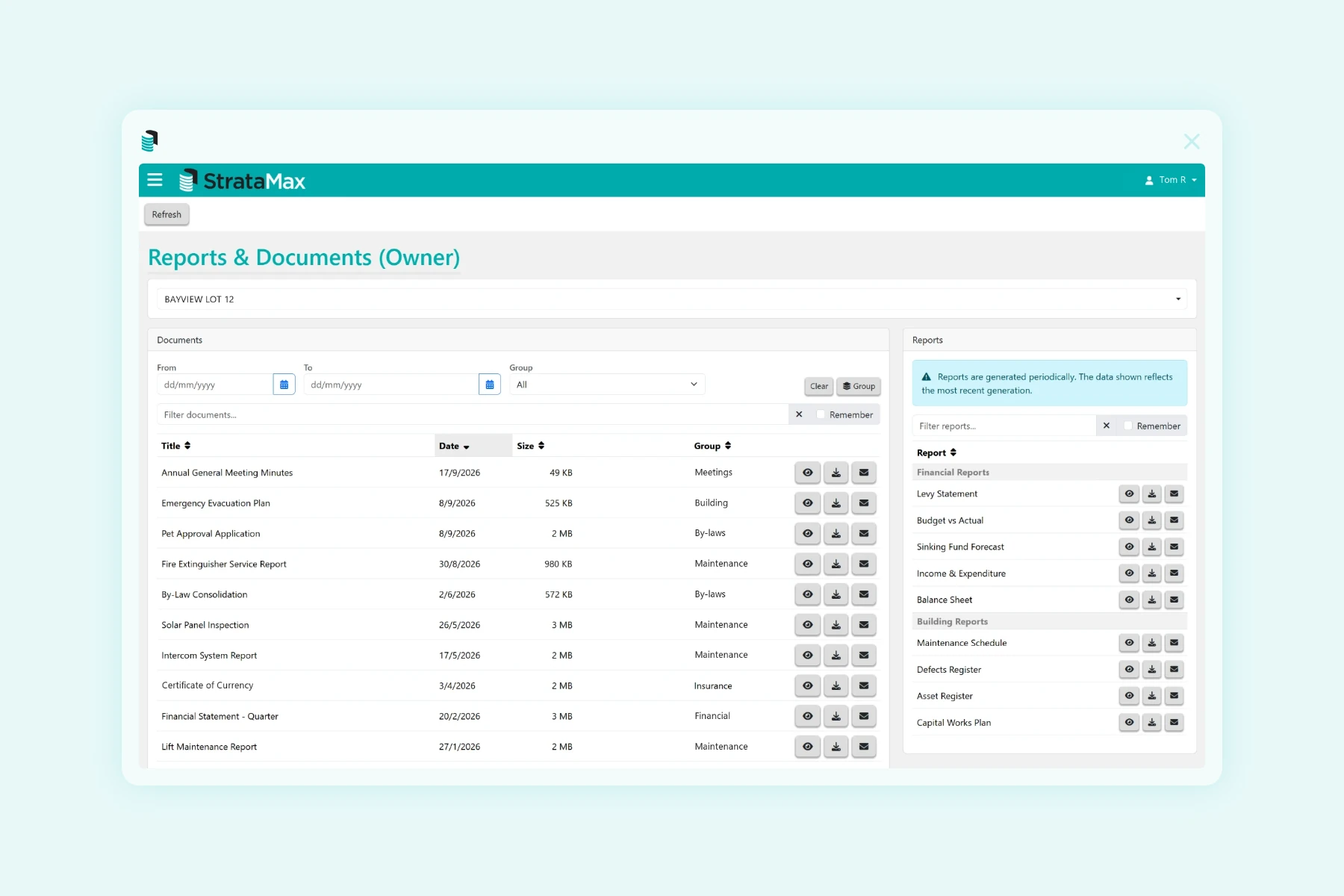
Meeting minutes, agendas, financial statements, insurance certificates, by-laws, contractor records. Search across documents by title. Your strata manager files them into the platform and they appear in your Owners Portal each day.
Owner questions
Frequently asked questions.
Quick answers to the questions owners ask us most. For anything about your own building, such as levies owing, approvals or maintenance, your strata manager is the best person to help.
Still need help? Search our owner help site or ask the chat assistant.
How do I pay my levies, and how do I see what I owe or have already paid?
Levies are paid through StrataPay. Your StrataPay reference number and the payment options for your building are on the payment slip of your levy notice.
- Pay online without logging in: use Quick Pay with your StrataPay reference number.
- See your payment history: log in to the StrataMax Portal, select your property and open your ledger card or the reports your strata manager has shared.
- Balance, arrears or a payment plan: contact your strata manager, who looks after your levy account.
From 1 October 2026, StrataPay no longer charges a card service fee. Whether your building accepts card payments is decided by your strata scheme.
Is StrataMax my strata manager? Who do I contact?
StrataMax makes the software your strata or body corporate manager uses. Your manager looks after your building's records, money and maintenance, so they are the right contact for most questions.
- Your strata manager: levy balances, pet and renovation approvals, maintenance and repairs, certificates, meetings, and changes to your details on the strata roll.
- StrataMax Portal support: logging in, setting up your account, linking properties and Portal errors.
- StrataPay: setting up, changing or cancelling direct debits.
Your manager's contact details are on your levy notice and on the My Info tab in the Portal. The Portal's Contact Us tab sends your enquiry straight to the right person.
I can't log in or I've forgotten my password. What do I do?
Click Forgot password on the StrataMax Portal login page and follow the email. The reset link expires after 60 minutes. For your security, neither StrataMax nor your strata manager can see or reset your password.
- Locked out? After too many attempts your account locks for 30 minutes, then unlocks automatically.
- Sure your password is right? Your browser may be filling in an old saved password. Clear the field and type it in yourself.
- No email? Check your spam folder and make sure you used the email address your account was created with.
How do I set up a StrataMax Portal account and link my property?
Go to the StrataMax Portal login page, enter your email address and choose Create an account, then follow the email we send you.
- If your strata manager has the same email address on the strata roll, your properties appear automatically.
- If not, add your property with the StrataMax ID and one-time password from your manager's welcome letter.
- Your StrataMax ID is also the first 8 digits of the StrataPay reference number on your levy notice.
One account covers all your properties.
Where can I find my by-laws, meeting minutes and other building documents?
Log in to the StrataMax Portal and select your property to see the documents and reports your strata manager has shared, such as by-laws, minutes and financial reports.
Each manager decides what is shared on the Portal, so if a document you need is not there, ask your strata manager for a copy.
How do I vote in my body corporate meeting online?
When your manager opens the meeting for online voting, log in to the StrataMax Portal and open the VoteMax tab.
- Select your meeting and vote Yes, No or Abstain on each motion.
- Tick the declaration and click Declare Votes. Your vote only counts once it is declared.
- You will receive a confirmation email.
New to the Portal? You will need an account with your property linked first.